
Most distributors do not need a new ERP. They need a layer on top of the one they have. A reporting and automation layer reads from your existing system and adds dashboards, alerts, and automated steps, without changing how the ERP runs. It matters because full replacement fails 55 to 75% of the time (Gartner) and costs far more than fixing the actual gap.
What Does It Mean to Add a Layer on Top of Your Existing ERP?
ERP augmentation means adding capability on top of the system you already run, instead of replacing it. A layer connects to your ERP through standard read access, then delivers what the ERP cannot: live dashboards, automated alerts, and workflows. The data stays in the ERP. The layer reads it and acts on it.
In practice this is the difference between rebuilding the foundation of your business and adding the floor you actually need. Your team keeps using the ERP exactly as before. The layer sits beside it and answers the questions the ERP was never set up to answer.
Why Do Distributors Think They Need a New System When They Do Not?
Most of the time the words hide a much smaller problem. "We have outgrown our system" usually means "we cannot get the reports we need." "The system is outdated" usually means "we have no real-time operational visibility." "We need a new system" usually means "we need one specific function." The ERP is rarely the real issue.
This matters because the wrong diagnosis is expensive. ERP implementation costs average $450,000 (Panorama Consulting, 2025), and projects report average cost overruns of 189% across industries (Panorama Consulting, 2025). Real-time operational visibility, the ability to see current operational figures without waiting for month-end, is what most teams are actually missing, and it does not require a replacement.
How Is Adding a Layer Different From Replacing the Whole System?
A layer is faster, cheaper, and far lower risk. Replacement means migrating data, retraining staff, and betting 12 to 18 months on a project that fails to meet its objectives 55 to 75% of the time (Gartner). A layer reads from the ERP you already trust, ships in weeks, and leaves daily operations untouched.
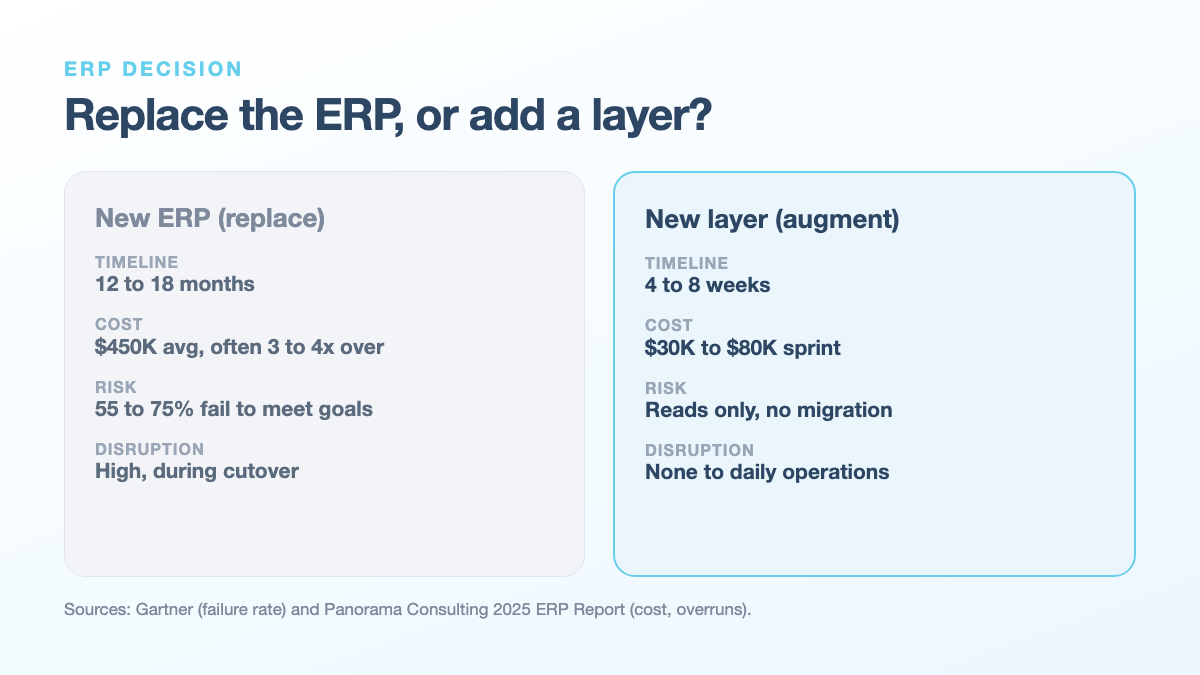
| Factor | New ERP (replace) | New layer (augment) |
|---|---|---|
| Timeline | 12 to 18 months | 4 to 8 weeks |
| Cost | $450K average, often 3 to 4x over (Panorama) | $30K to $80K sprint |
| Risk | 55 to 75% fail to meet objectives (Gartner) | Reads only, no migration |
| Disruption | High, during cutover | None to daily operations |
Only about 30% of ERP projects finish on time and on budget (Panorama Consulting, 2025). Total cost of ownership of ERP replacement, the full lifetime cost of switching systems, includes the license, the integrator, the lost productivity, and the risk premium. A layer avoids almost all of it.
What Can a Layer Actually Do for Your Current ERP?
It closes the specific gap, not the whole system. Most distributors need one of three layers: a reporting layer for leadership visibility, a workflow layer to automate manual approvals and tasks, or an integration layer to connect the ERP to the other tools you already use. Each reads from the ERP and changes nothing underneath.
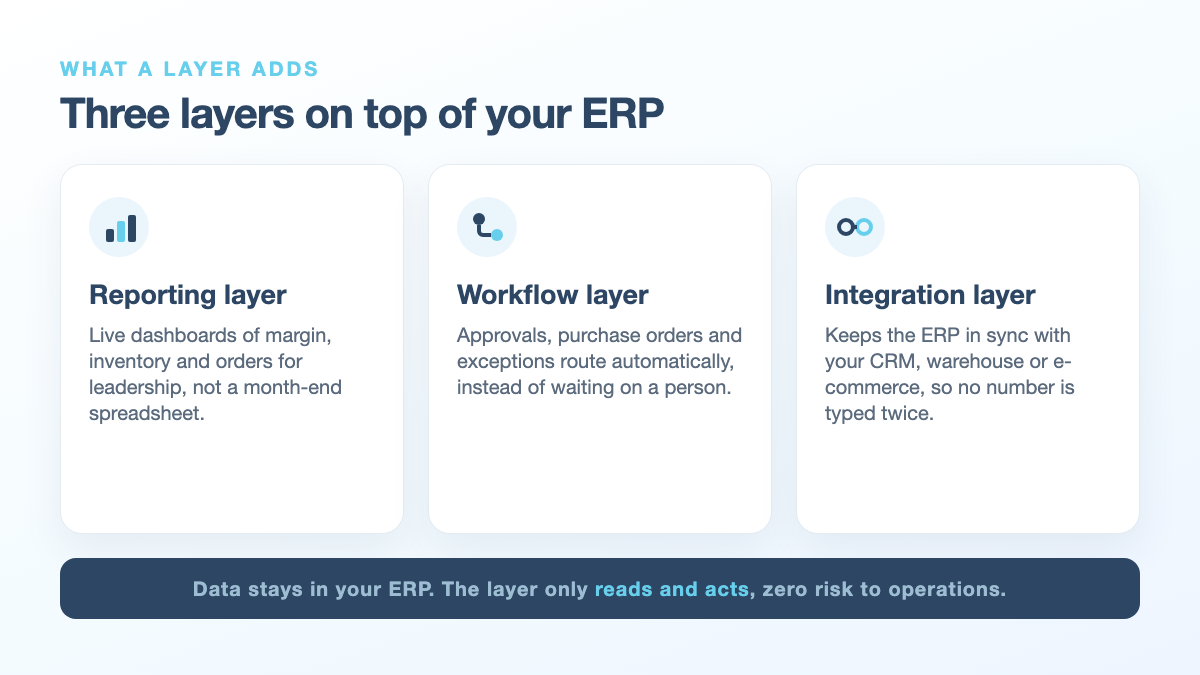
- Reporting / visibility layer: a dashboard layer that reads from the ERP and shows leadership margin, inventory, and orders in real time, instead of a month-end spreadsheet.
- Workflow automation: auto-routing of approvals, purchase orders, and exceptions, so steps that waited on a person now move on their own.
- Integration layer: a connection that keeps the ERP in sync with your CRM, warehouse, or e-commerce, so the same number does not get typed twice.
A reporting / visibility layer on a system like Prophet21 or Eclipse is the most common starting point, and it is the kind of work a focused reporting layer sprint is built to deliver.
Is It Risky to Connect a New Layer to a Live ERP?
No, because the layer only reads. It pulls data from the ERP and displays or acts on it, without writing changes back into the core system. There is no migration, no cutover, and no downtime. If you switched the layer off tomorrow, the ERP would run exactly as it does today.
That is the opposite of a replacement, where the risk is the whole business at once. With ERP augmentation, the blast radius is a dashboard, not your operations. You prove the value on one gap, then expand. This is the safer path that a legacy workflow modernization sprint is designed around: improve the system you have without putting daily work at risk.
When Does a Business Genuinely Need a New ERP Instead of a Layer?
When the core system can no longer record the transactions the business runs on. If the ERP cannot handle your order types, your compliance requirements, or your transaction volume, no layer fixes that. Replacement is also right when the vendor has ended support. Short of those cases, a layer solves the reporting, visibility, and automation gaps that drive most "new system" requests.
How Long Does Adding a Layer Take and What Does It Cost?
A layer is a scoped sprint, not a multi-year program. Because it reads from the ERP you already run, there is no migration, so a focused engagement typically runs 4 to 8 weeks at $30K to $80K. Time-to-value, the time to the first measurable result, is weeks rather than the 12 to 18 months a replacement demands, and you see the outcome on one real gap first.
The Bottom Line: Fix the Gap, Not the System
The ERP is rarely the problem. The missing layer is. Before you sign up for a 12 to 18 month replacement, name the one gap that is actually costing you: a report you cannot get, a number you cannot see, a step that waits on a person. 3ALICA builds that layer on top of your current ERP in a 4 to 8 week sprint, so you fix the gap without betting the business.
If the answer is the missing layer, that is what our operations sprints build; if the ERP itself is the constraint, start with legacy modernization.